FluentCommunity Review: The Free Course Features, Tested Hands-On

Tested hands-on on our own WordPress install. We may earn a commission if you buy through links on this page. It never changes our verdict. How we test
FluentCommunity is a community plugin with courses built in: discussion spaces, member profiles and lessons in one front-end portal. We installed the free version on a clean WordPress site, ran its setup wizard, built a course, opened it as a logged-out visitor and as four test students, and attached a price to it. This review covers what the free version really includes (the vendor’s own pages disagree), what students and strangers can see by default, and how selling works.
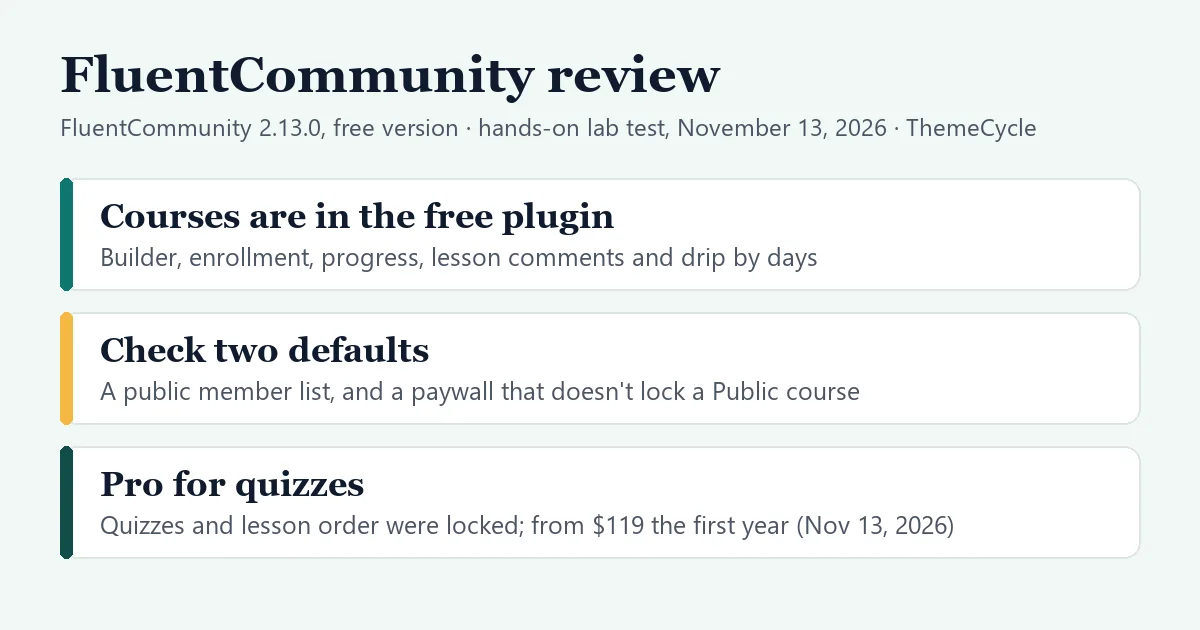
The short verdict
- Who it suits: coaches and creators who want a discussion community around their lessons, and who are happy with courses that have no quizzes or certificates unless they pay.
- What’s free: the course builder, lessons in the block editor, one-click enrollment, progress tracking, comments under each lesson and sections that unlock a set number of days after enrollment.
- What isn’t: quizzes, lesson order enforcement, the welcome banner, the Modern course layout and the student export were all marked as Pro. No certificate was offered in our test. Pro was $119 for the first year on one site (checked November 13, 2026).
- Check before launch: the member list and member profiles are open to logged-out visitors by default, and a price attached to a Public course didn’t stop a student from enrolling for free.
On this page
How we tested
- Versions: FluentCommunity 2.13.0, the free plugin from WordPress.org, on WordPress 7.1.4 and PHP 8.3, with the default Twenty Twenty-Five theme. Later in the test FluentCommunity installed FluentCart 2.3.1, also free, for the paywall.
- Setup: a private test install on our own machine. We judged features and workflow, not speed: a local test site says nothing about how fast your hosting will be.
- What we did: ran the setup wizard; created a course with three text lessons; opened it as a logged-out visitor; used four test students, one of whom completed the course and posted a lesson comment; set a second section to unlock after seven days; attached a $29 paywall; and changed the privacy settings. We also logged which pages load files from other websites and which cookies are set, and read the plugin’s code where the screens didn’t explain something.
- How we entered the content: everything was clicked in the plugin’s own screens, except the lesson text, which a script placed in the lesson editor before we saved. So we describe what the editor offers, not what typing in it feels like.
- What we didn’t test: the FluentCart checkout (it wouldn’t run on our local test site, as explained below), any Pro feature, emails (our test site sends no mail), student sign-up, the community side beyond the member list (spaces, feed posts, chat), video and document lessons, mobile layouts and speed.
- Independence: FluentCommunity’s maker didn’t pay for this review or provide a paid license. There are no FluentCommunity affiliate links on this page. We earn a commission if you buy Tutor LMS through our link below; it doesn’t change what we say about either plugin.
Is the course feature free?
Yes, in the version we tested. That needs saying, because the vendor’s own pages contradict each other. On November 13, 2026, FluentCommunity’s documentation answered the question with “Courses require FluentCommunity Pro”, and said that basic quizzes are part of the free version. The plugin’s WordPress.org page lists the quiz module among its Pro features.
Our test site, with only the free plugin, showed the opposite of the documentation on both points:
- Courses worked. The Course Module was switched on from the start. We created, published, enrolled in and completed a course with no license.
- Quizzes didn’t. Under each section, the Add New menu offered Lesson, and below it Quiz (Pro Required), grayed out and not clickable.
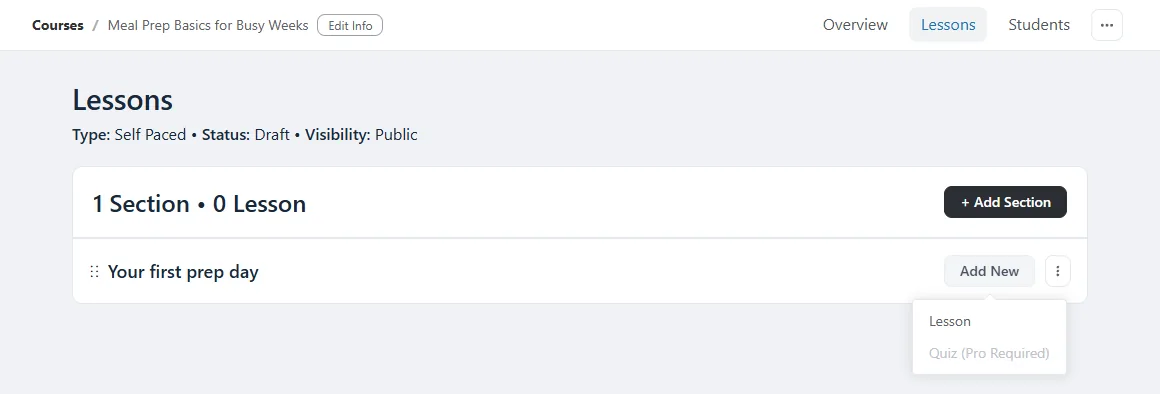
That makes FluentCommunity the only free version we’ve tested with no quiz at all. If a quiz at the end of a course matters to you, count the Pro license into the price.
Setting up
The plugin adds one item to the WordPress admin menu, which opens a three-step wizard: name your community, pick a template (Basic, Course, Product or Blank; we chose Course) and set access and features.
Watch out for: the third step. It offers three more plugins from the same company, FluentCRM for email marketing, FluentSMTP for sending email and FluentCart for selling, and all three checkboxes were already ticked. Below them, the admin’s name and email address were filled in and “Subscribe to feature updates email newsletter” was ticked too. Only the last box, about sharing usage data, was empty.
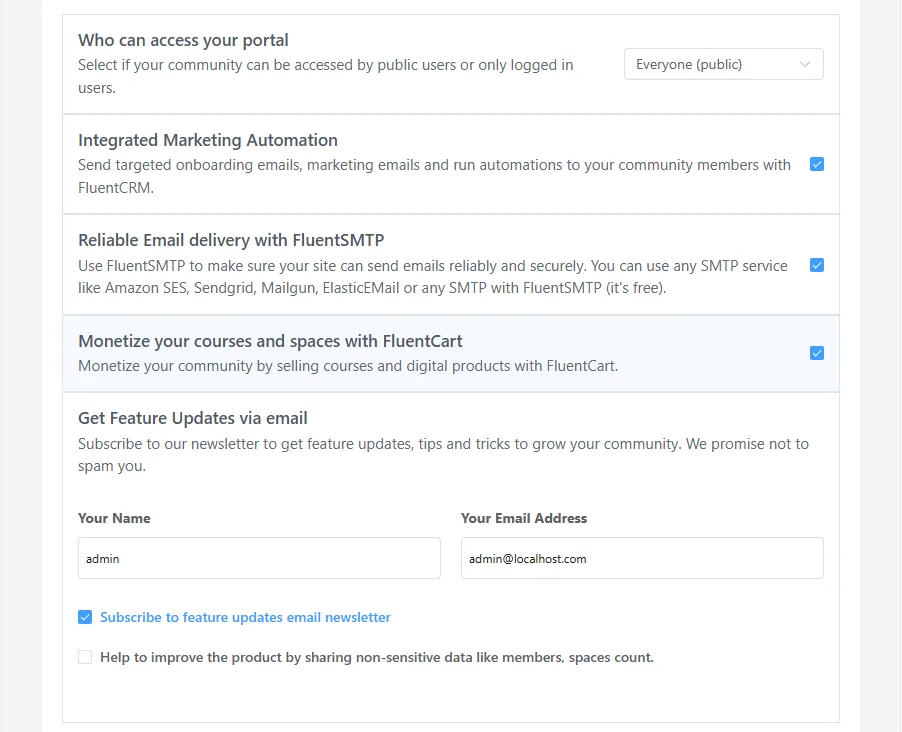
We unticked all four and finished. Nothing else was installed. We didn’t test what happens if you leave them ticked, so read that screen before you click Save & Finish.
After the wizard, everything lives in a portal on the front of the site, at /portal/, with its own design instead of your theme’s. It has a menu of Feed, Spaces, Courses and Members, and the admin screens sit inside the same portal. The Course template added two empty draft courses and two discussion spaces. The sidebar shows a small “Powered by FluentCommunity” line.
Building a course
Add Course asks for a title, a short description, and three choices that matter later:
- Status: Draft (the default) or Published.
- Privacy: Public (the default), Private or Secret. The form explains Public as “Anyone can view and enroll the course for free.”
- Enrollment type: Self Paced (the default, everything available at once), Structured (sections unlock a number of days after enrollment) or Scheduled (sections unlock from a fixed date).
Two more options on the form were locked: Lesson order enforcement (Pro Required) and the Modern course layout.
A course is built from sections and lessons. A new lesson starts as a draft and opens in the WordPress block editor, in a full-screen panel with a few extra switches: video embed, comments, and Free Preview Lesson, which lets visitors read one lesson without enrolling (we didn’t test it). There are panels for a media embed and for documents, which we didn’t open. Each lesson has its own Draft or Published switch.
The course screen has three tabs. Overview shows the number of students, the average completion rate and the latest lesson comments. Lessons is the outline. Students lists each student with progress, start date and last visit, and has an Add Student button; exporting the list is marked Pro.
What students see
With the defaults, a logged-out visitor could open the portal, the course list and the course page with its outline, but not the lessons. The button read “Login to enroll this course”, and a lesson’s address answered “This lesson is currently locked.” That’s the safer default; in our Masteriyo test, a new free course let guests straight into the lessons.
A logged-in student clicked Enroll in this course once and was in. The lesson page is clean: the text, a Complete Lesson button, the outline with a progress percentage on the right, and a Lesson Discussions box under every lesson.
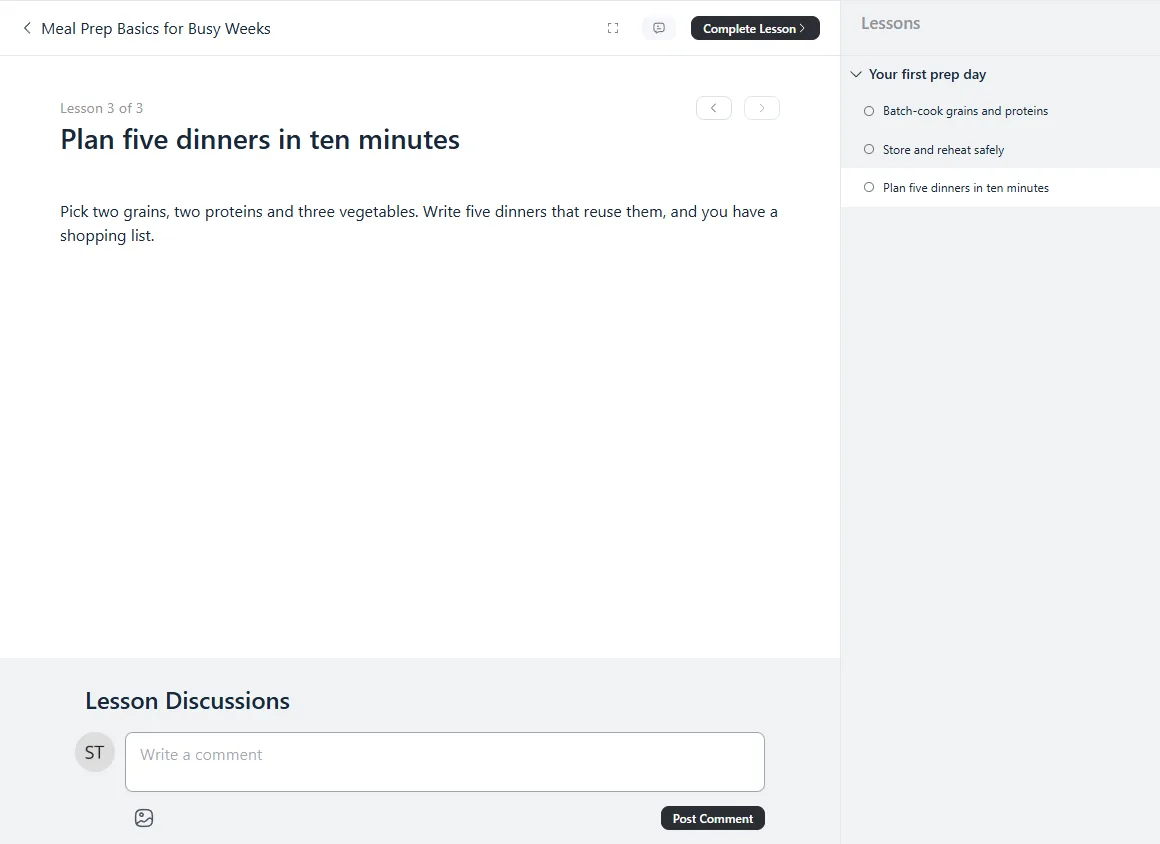
Three things we noticed:
- Lesson order isn’t enforced. Our first student opened the last lesson first and completed it. Making students go in order is the Pro option mentioned above.
- Comments are shared with the class. A comment our first student posted under a lesson was shown to the second student with the first one’s name, and to the admin on the course’s Overview tab with a reply box. That’s the point of a community plugin, but tell students that questions aren’t private.
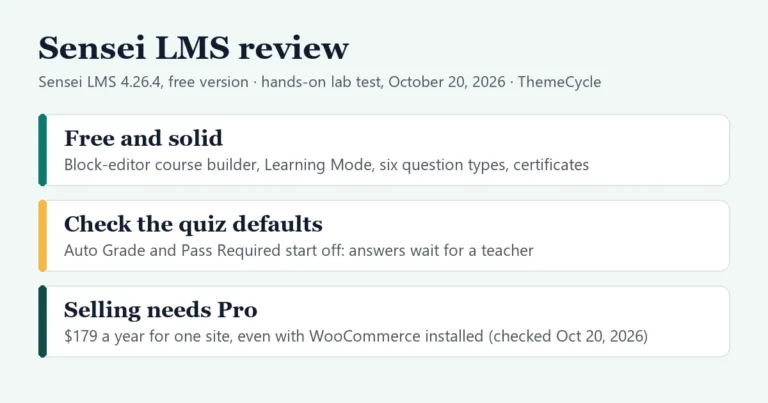
- Finishing earns a message, not a certificate. After the third lesson the course page said “Congratulations! Course completed!” and nothing more. No certificate was offered anywhere in our test. The vendor’s documentation describes course certificates set up in the Course Module’s settings; on our free install that panel held a single on/off switch, and we didn’t establish what unlocks the rest. LifterLMS and Sensei LMS awarded a certificate for free in our tests, and Masteriyo offered one.
Drip content works for free
We changed the course to Structured, added a second section and set it to unlock after seven days. The outline shows each section’s schedule and lets you set the number of days.
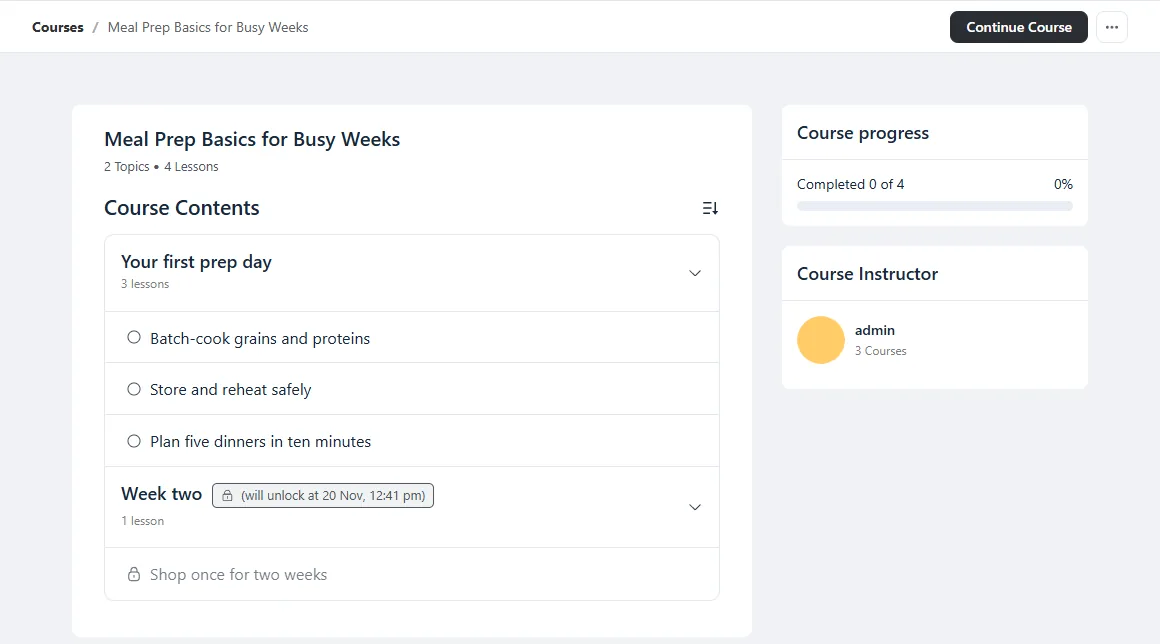
A student who had enrolled that day saw the second section with a lock and its unlock date, exactly seven days after they enrolled. Opening the locked lesson’s address directly showed “This lesson is not published for you yet”, with the date it would open. Drip schedules are a paid feature in Tutor LMS and Masteriyo, so this is a real advantage of the free version. We didn’t test the Scheduled type, which works from a fixed date.
Default 1: your member list is public
Watch out for: who can see your students. Once our test students had opened the portal and enrolled, a logged-out visitor could open the Members page and read all of them: display name, username, when they joined and when they were last seen.
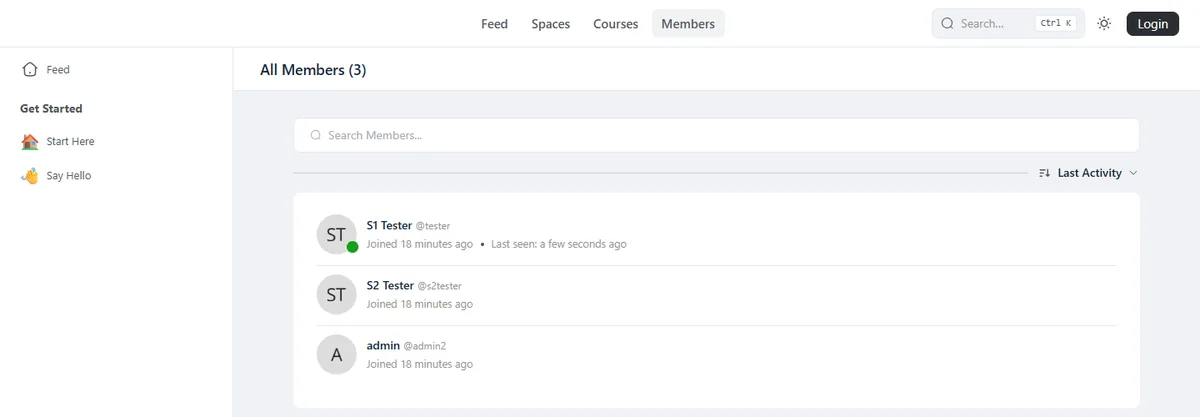
The same visitor could open a student’s profile page, with tabs for their posts, spaces, courses and comments. For a public community that’s a feature. For a paid course, a school or a coaching group, it probably isn’t what your students expect.
The fix is in Portal Settings › Privacy Settings. Four questions decide who can view the members page, profile pages, the leaderboard, and the spaces and courses on a profile. All four were set to Everybody. We changed them to Only logged-in members and unticked “Show last activity of a user on the profile card”. After that, the visitor got “Permission Denied” on the Members page, and a profile showed only the name with “This profile is private.”
Selling a course, and default 2
FluentCommunity has no checkout of its own. The course’s Paywalls tab says to install FluentCart, the same company’s free store plugin, and one click on that message installed and activated it. Adding a paywall then took a product title and a price; we entered $29.
Watch out for: a paywall doesn’t lock a Public course. Our course was still Public, the default, and with the $29 paywall attached our third student saw the same Enroll in this course button, clicked it and was in for free. The Paywalls tab showed no warning. The form’s own description of Public does say anyone can enroll for free, and the documentation says to set a paid course to Private, so this is how it’s designed. It’s also easy to miss.
Setting the course to Private closed it: a new student saw “This is a private course. Members have to be invited to this course.” But there was still no price and no button. That needed one more option, which appears once a course is Private and was unticked: Show Paywalls in the default lock screen. With it ticked, the same student saw the product, the price and a Join Now button.
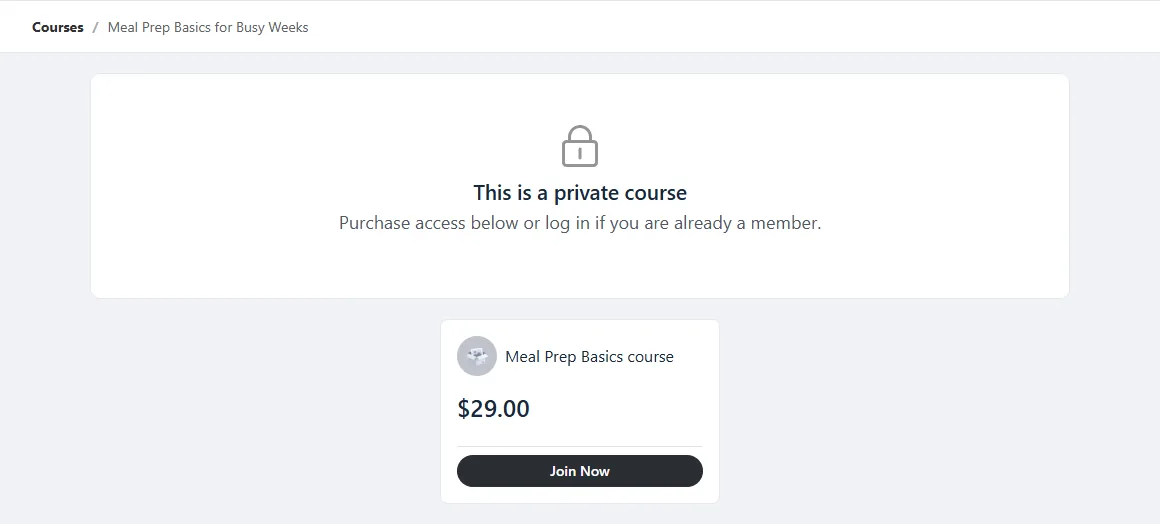
So a paid course takes three steps: add the paywall, set the course to Private, and tick the lock-screen option. A student who had enrolled while the course was Public kept their access afterward.
What we couldn’t test: the checkout. When our student clicked Join Now, FluentCart answered “Too many requests” on the first click. Reading its code, its request limiter depends on a feature of the MySQL database, and our local test site runs on a different database without it. We put that down to our test setup, not to FluentCart. It means payment methods, the checkout form and what happens after payment are all untested here, and we can’t say whether you complete orders by hand or not. Our payments guide covers the options in the plugins we have tested. If you sell with WooCommerce, note that the documentation names FluentCart and Paymattic as the payment integrations and points WooCommerce users to automation tools instead.
Privacy: what loads and what’s set
For logged-out visitors, FluentCommunity set no cookies on any page we checked: the site’s home page, the portal, the course list, a course page, a locked lesson and the Members page. That stayed true with FluentCart active. We found no Google Fonts on any page we checked.
One thing loads from elsewhere: profile pictures. On the course page and the Members page, each avatar is requested from Gravatar using a scrambled form of the person’s email address, with a fallback picture of their initials from a second service. That applies to the instructor and to every member shown. Signed-in students’ pages had the same two outside servers and no others.
Privacy Settings has a switch for it: Use Gravatar Photo Service for default user photo, on by default. With it unticked, the pages we checked again loaded nothing from any other website. If your privacy policy promises no outside requests, untick it.
Free vs Pro at a glance
We tested the free column. The Pro column is what the free plugin’s own screens marked “Pro Required” or “Available on Pro” in our test.
| Feature | Free plugin | Pro |
|---|---|---|
| Courses and lessons | Yes | Yes |
| Enrollment, progress | Yes | Yes |
| Lesson comments | Yes | Yes |
| Drip by days | Yes | Yes |
| Free preview lessons | Yes (not tested) | Yes |
| Quizzes | No | Yes |
| Lesson order enforcement | No | Yes |
| Welcome banner | No | Yes |
| Modern course layout | No | Yes |
| Student list export | No | Yes |
| Certificates | None offered | Not checked |
Pricing
FluentCommunity Pro is an add-on to the free plugin, and every paid plan includes all features; the plans differ only in the number of sites. These prices are from FluentCommunity’s pricing page, checked November 13, 2026. The page showed each list price crossed out next to a lower one, and called it a discount of up to 40% on the first-year license. It offers a 14-day money-back guarantee.
| License | Sites | Price shown | List price |
|---|---|---|---|
| Free | Any | $0 | $0 |
| Pro, yearly | 1 | $119 | $199 |
| Pro, yearly | 5 | $239 | $399 |
| Pro, yearly | 15 | $419 | $699 |
| Pro, lifetime | 1 | $279 | $399 |
| Pro, lifetime | 5 | $559 | $799 |
| Pro, lifetime | 15 | $1,119 | $1,599 |
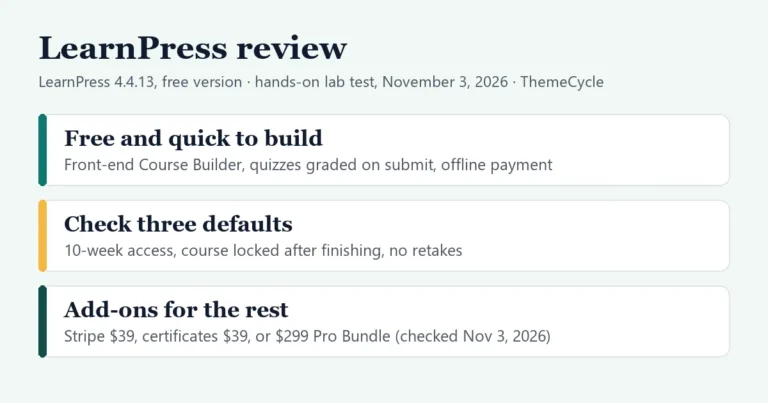
Since the page describes the yearly discount as a first-year one, plan on the list price from the second year; we couldn’t confirm the renewal terms. At $199, one site costs the same as Tutor LMS Pro ($199 a year on October 4, 2026) and more than Sensei Pro ($179 a year on October 20, 2026) or MasterStudy Pro ($149 a year on November 6, 2026). The lifetime license is the one to look at if you expect to stay: at its list price it costs about two years of the yearly plan.
FluentCart, which you need for selling, is a separate plugin with a free version. We didn’t check its prices or what its paid version adds.
Who should use FluentCommunity?
Best for: a coach, creator or membership site that wants lessons and a discussion community in one place, with the course as part of the community and not a graded program. Free drip by days, lesson comments and a tidy student page are a good base for a cohort or a challenge. Our guide to the best LMS for a coaching business covers the payment and booking side.
Look elsewhere if you need quizzes, certificates or enforced lesson order without paying: every other free version we’ve tested has quizzes, and LifterLMS, Sensei LMS and Masteriyo LMS include certificates. If you want your course pages to use your theme’s design and sit in the normal WordPress admin, Tutor LMS is closer to that. Our WordPress LMS plugins comparison sets them side by side, and our step-by-step guide to selling courses on WordPress covers the whole build.
Verdict
The free version of FluentCommunity is a community plugin with a capable course module, not a full LMS. Courses, enrollment, progress, lesson discussions and drip by days all worked without a license, whatever the documentation says. Quizzes and lesson order are Pro, and we saw no certificate. Two defaults need attention before you launch: the member list and profiles are open to anyone until you change four privacy settings, and a paid course needs to be Private with its paywall switched on for the lock screen, or students can simply enroll. Read the wizard’s last step too. If discussion matters more to you than grading, it’s well worth a test on your own site; if you need exams and certificates, start with one of the plugins above.
FAQ
Is FluentCommunity free?
Yes. The core plugin is free on WordPress.org and includes the community features and the course module. Pro is an add-on; one site cost $119 for the first year against a $199 list price (checked November 13, 2026).
Are courses free in FluentCommunity?
In our test of version 2.13.0, yes: we built, published and completed a course with only the free plugin. The vendor’s documentation said courses need Pro on the day we checked; our test site showed otherwise.
Does the free version of FluentCommunity have quizzes?
Not in our test. The option to add a quiz was shown as “Quiz (Pro Required)” and couldn’t be clicked.
Can I sell courses with FluentCommunity?
Yes, through FluentCart, a separate free plugin that FluentCommunity installs with one click. Set the course to Private and tick the option that shows the paywall on the lock screen. We couldn’t test the checkout itself on our local test site.
Can logged-out visitors see my members?
By default, yes: the Members page and member profiles were open to everybody in our test. Portal Settings › Privacy Settings has four options to limit them to logged-in members or to admins.
Does FluentCommunity set cookies for visitors?
Not in our test. Logged-out visitors got no cookies on the six pages we checked. Profile pictures load from Gravatar until you switch that off in Privacy Settings.