School Enrollment Forms on WordPress: 4 Free Plugins Tested

No affiliate links on this page. How we test
A school website collects a lot through forms: enrollment inquiries, contact messages, trip consent, notes about allergies and medicine. Most guides to “school enrollment forms on WordPress” come from form plugin vendors and show you how to build the form. This one looks at what happens after a parent clicks Send. We installed four free form plugins on a private test site, sent the same message through each, and checked where it ended up.
The short answer
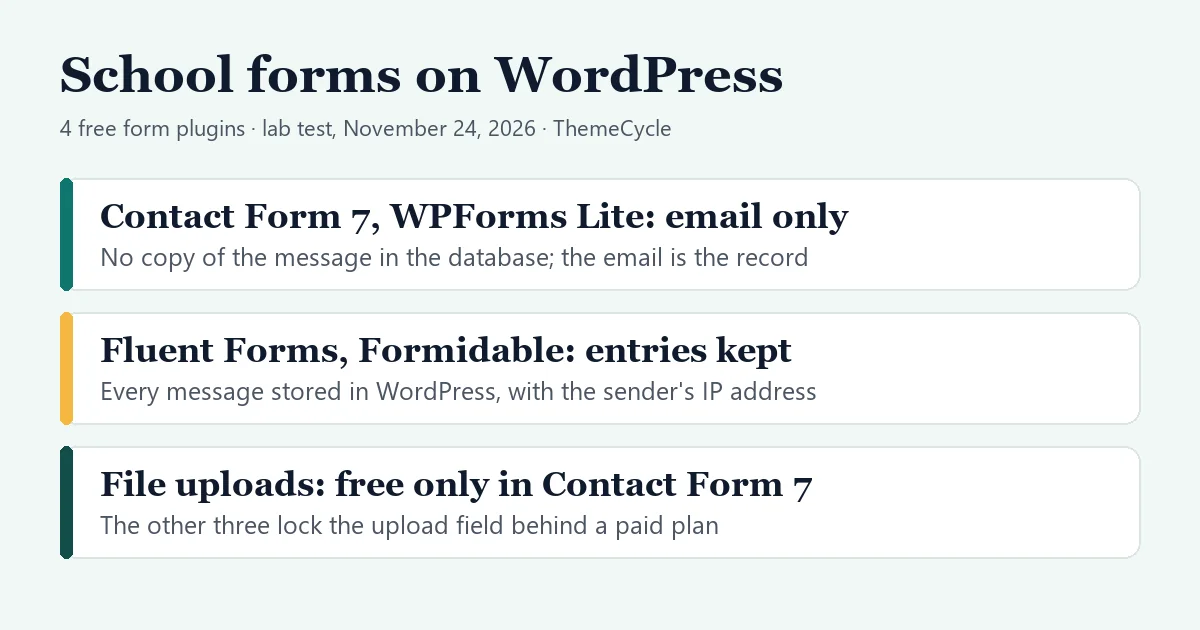
- Contact Form 7 and WPForms Lite didn’t keep a copy. The message went out by email and wasn’t stored in the WordPress database. The email is your only record.
- Fluent Forms and Formidable Forms kept every entry in WordPress, together with the sender’s IP address and browser details. That’s handy for staff, and it means your website now holds whatever parents type.
- Fluent Forms’ ready-made contact form sent no email at all on our test site. Entries waited in the dashboard until someone looked.
- None of the four loaded anything from another company for a visitor, and none set a cookie, with the default settings.
- File uploads were free only in Contact Form 7. The other three lock the upload field behind a paid plan.
On this page
- How we tested
- Where the same message ended up
- What a visitor’s browser loaded
- Contact Form 7: email only, and a free file field
- WPForms Lite: email only, school templates are paid
- Fluent Forms: entries kept, and no email until you set one up
- Formidable Forms: entries kept, with the full browser string
- File uploads: free only in Contact Form 7
- Before your form goes live: a checklist
- Other parts of a school website
- What we didn’t test
- FAQ
How we tested
- Tested in our lab on November 24, 2026: a fresh, private WordPress 7.1.5 install with the default Twenty Twenty-Five theme and four free plugins from wordpress.org: Contact Form 7 6.2.6, WPForms Lite 2.0.5.2, Fluent Forms 6.2.17 and Formidable Forms 7.1.1. No paid versions or add-ons.
- One form per plugin. We used each plugin’s own contact form: the one it creates on activation (Fluent Forms, Formidable), its free “Simple Contact Form” template (WPForms), or, for Contact Form 7, a form we built with a child’s name, date of birth and a file field.
- One invented message. As a logged-out visitor, we sent “my son (Year 3) has asthma and needs his inhaler on the trip”, with an invented parent’s name and email. It’s the kind of health detail parents really do send to schools.
- We watched three things: what the form page loaded in the visitor’s browser (requests to other sites, cookies), every email the site tried to send (our test site catches them instead of sending), and every table in the site’s database, searched for the child’s name.
- Vendor facts, not tested: prices and paid features come from the vendors’ own pages, checked on November 24, 2026. We say “says” where a fact comes from a vendor.
- What already ranks: the top results for school enrollment forms on WordPress are guides from form plugin companies. They show how to build the form; none says where the submissions are kept.
- No vendor paid for or reviewed this guide, and there are no affiliate links on this page.
Where the same message ended up
| Plugin | Stored in WordPress | Extra details stored | |
|---|---|---|---|
| Contact Form 7 | No | None | Yes, to the admin |
| WPForms Lite | No | None (a daily count only) | Yes, to the admin |
| Fluent Forms | Yes | IP, browser, device, page | None by default |
| Formidable Forms | Yes | IP, full browser string, page | Yes, to the admin |
Every email we caught carried the whole message, the child’s health note included, and set the parent’s address as the reply-to.
Which is better depends on what you need. If nothing is stored on the website, there’s nothing there to leak or to clean up later, but a message is lost if the email doesn’t arrive. If entries are stored, nothing gets lost, but the site keeps every message, with the parent’s IP address, until someone deletes it. That includes the site’s backups.
What a visitor’s browser loaded
| Plugin | Outside requests | Cookies |
|---|---|---|
| Contact Form 7 | None | None |
| WPForms Lite | None | None |
| Fluent Forms | None | None |
| Formidable Forms | None | None |
We loaded each form page and sent the form as a logged-out visitor, with a clean browser. None of the four loaded a CAPTCHA, font or script from another company, and none set a cookie. That can change if you add a CAPTCHA: all four plugins support Google reCAPTCHA and Cloudflare Turnstile, and all but Contact Form 7 support hCaptcha. A CAPTCHA works by loading that company’s script on the form page. We didn’t test any of them switched on.
Contact Form 7: email only, and a free file field
Contact Form 7 has 10,000,000+ active installs and an update on November 23, 2026 (wordpress.org listing, checked November 24, 2026).
What happened in our test. The message went to the admin email as plain text, with the child’s name, date of birth and health note. Nothing was saved in the database. We attached a small test PDF through the form’s file field: it arrived as an email attachment, and the temporary copy in the uploads folder was gone after sending.
The trade-off: if your mail setup fails, the message is lost; there’s no copy on the site to go back to. The vendor’s answer is a separate free plugin, Flamingo, which its listing describes as message storage for Contact Form 7 (checked November 24, 2026). We didn’t test it.
Best for: a school that wants submissions to go to a staff inbox and nowhere else, and needs a free upload field for a document or photo.
WPForms Lite: email only, school templates are paid
WPForms Lite has 5,000,000+ active installs and was updated on November 24, 2026 (wordpress.org listing, checked the same day).
What happened in our test. The message went to the admin as an HTML email, and no entry was stored. The plugin’s own Entries screen says so: “Form entries are not stored in WPForms Lite.”
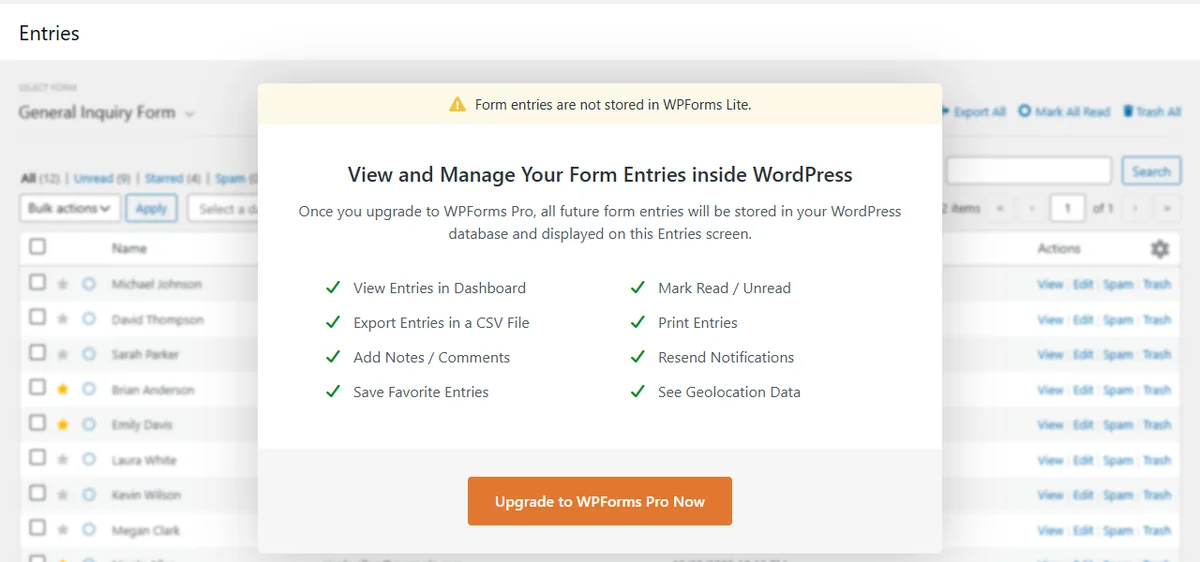
Watch out for: the school templates aren’t free. The plugin’s template list on our test site had 2,186 templates, and 69 of them were marked for Lite. None of the school ones was among them: “Enrollment Form” and “Student Registration Form” needed the Basic plan or higher, and “Admission Form”, “Permission Slip Form” and “Preschool Registration Form” needed Pro or higher. With Lite you build the form yourself from the free fields. File upload is a paid field too.
The vendor’s pricing page lists Basic at $99 a year for one site, with entry management and file uploads, and Pro at $399 a year. Both showed a lower first-year price on the day we checked, and the page says renewals are at full price (checked November 24, 2026).
Best for: a simple contact or inquiry form where email is enough, built in a friendlier editor than Contact Form 7’s.
Fluent Forms: entries kept, and no email until you set one up
Fluent Forms has 800,000+ active installs and was updated on November 2, 2026 (wordpress.org listing, checked November 24, 2026). It creates two forms when you activate it, a “Contact Form Demo” and a “Subscription Form”.
What happened in our test. We sent our message through the Contact Form Demo. The entry was stored in the plugin’s own database tables, and the entry screen showed the visitor’s IP address, the page it was sent from, the browser and the device.
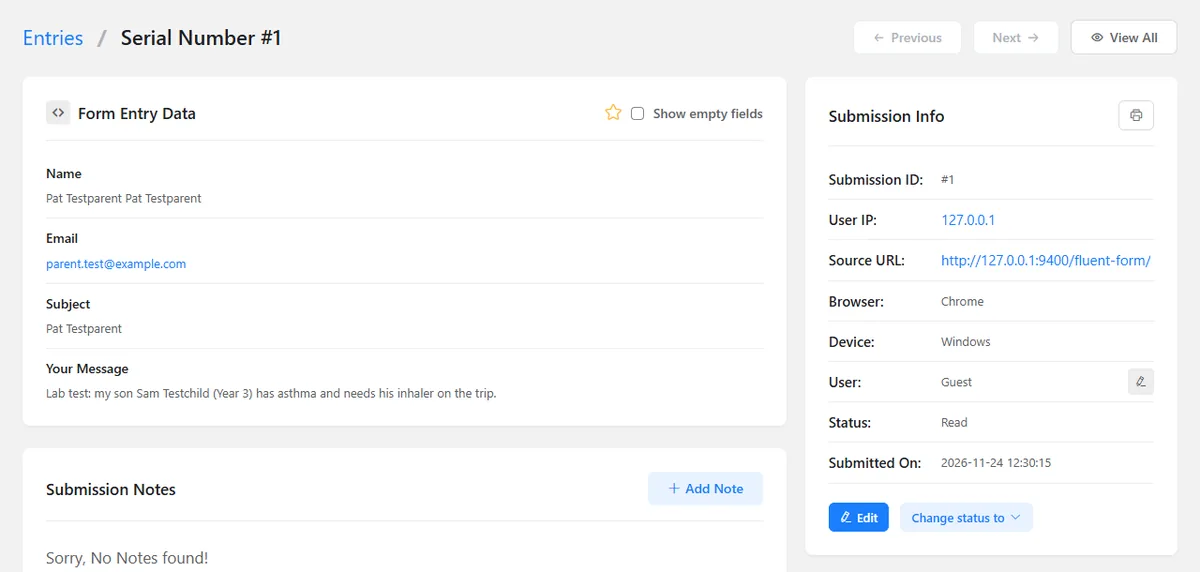
Watch out for: the demo form sent no email. Its settings have no notification set up, so nobody is told when a parent writes. If you put that form on a school site as it comes, messages will sit in Fluent Forms > Entries until someone opens it. Add an email notification before you publish the form, and send a test.
Watch out for: IP addresses are logged by default. The plugin has a global setting that disables IP logging; on our fresh install it wasn’t switched on, so the IP was stored. Each form also has a “delete entry on submission” setting, set to no. The vendor’s pricing page lists automatic deletion of old entries as a Pro feature, at $79 a year for one site, with a lower first-year price shown (checked November 24, 2026).
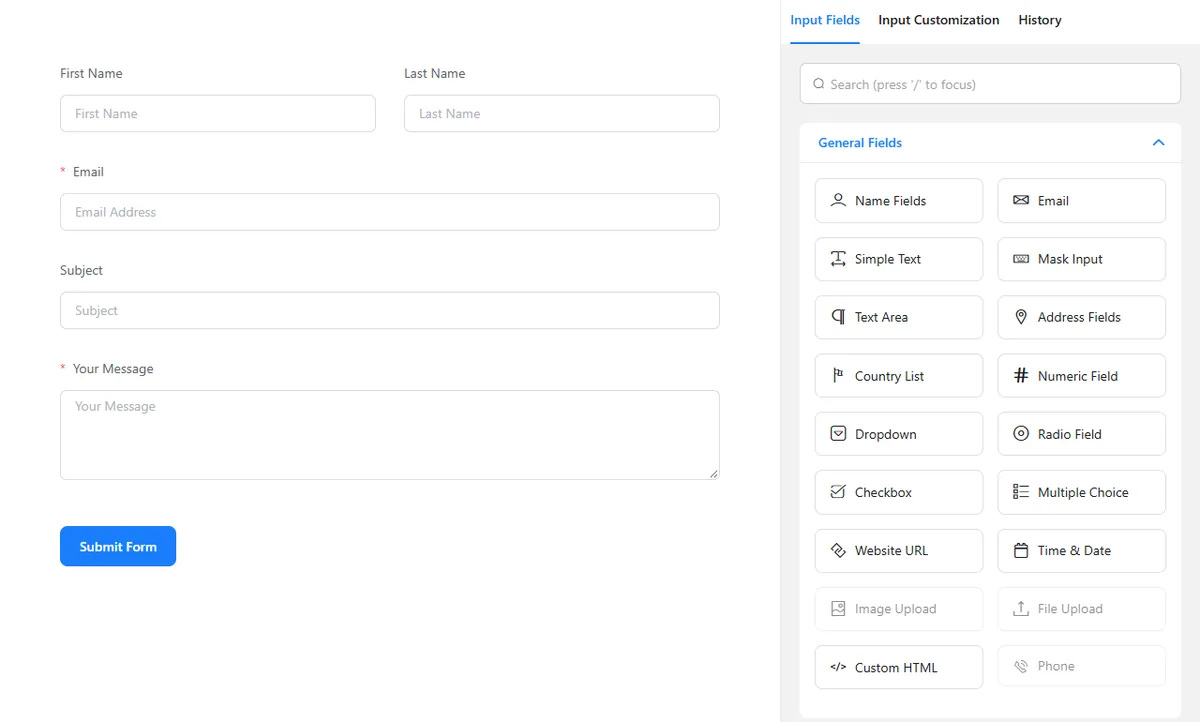
Best for: a school office that wants every inquiry kept in one place in WordPress, and will set up the email, the IP setting and a habit of deleting old entries.
Formidable Forms: entries kept, with the full browser string
Formidable Forms has 300,000+ active installs and was updated on November 19, 2026 (wordpress.org listing, checked November 24, 2026). It creates a “Contact Us” form when you activate it.
What happened in our test. The message was stored as an entry, and the admin got an HTML email with every field. With the entry, Formidable saved the IP address, the visitor’s full browser identification string and the page the form was on.
Watch out for: as with Fluent Forms, IPs are stored until you change a global setting that stops it, which wasn’t switched on in our fresh install. Entries stay until someone deletes them. The vendor’s pricing page lists Basic at $79 a year for one site, with file uploads, and showed a lower first-year price; renewals are at full price, it says (checked November 24, 2026).
Best for: a school that wants stored entries and the admin email from the first day, without extra setup.
File uploads: free only in Contact Form 7
A school form often asks for a document: a report from the previous school, a birth certificate, a medical form.
| Plugin | File upload in the free version |
|---|---|
| Contact Form 7 | Yes, sent as an email attachment |
| WPForms Lite | No, paid field |
| Fluent Forms | No, paid field |
| Formidable Forms | No, paid field |
We tested only Contact Form 7’s upload. Where the paid versions keep uploaded files, and who can open them, we didn’t check.
Watch out for: documents like a birth certificate are more sensitive than a message. Whichever plugin you use, think about whether the website needs to receive them at all, or whether the school can collect them in person or through the system it already uses for pupil records.
Before your form goes live: a checklist
- Send yourself a test with invented data, and check that the email arrives and in which inbox.
- Look for the entry in the plugin’s Entries screen. If it’s stored, decide who may see it and how long it stays.
- Ask only what you need. A first inquiry rarely needs a child’s date of birth or health details.
- If your plugin keeps entries, turn off IP logging unless you use it, and delete old entries on a schedule.
- If you add a CAPTCHA, say so in your privacy notice: it loads a script from another company.
- Remember backups. A deleted entry can live on in older backups of the database.
- Keep the form plugin updated, like everything else on a site that holds families’ data.
Other parts of a school website
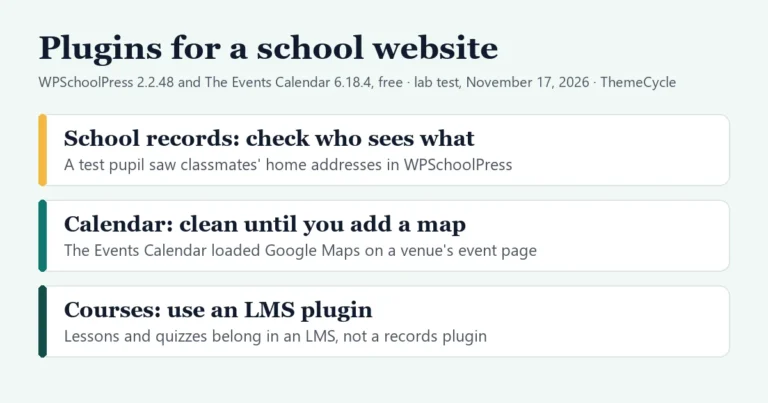
- Calendars and school records: we tested The Events Calendar and WPSchoolPress in WordPress plugins for a school website.
- Courses and quizzes: LMS pricing for small schools compares what a year costs for a school of 100 pupils, and WordPress LMS plugins compared puts our LMS lab results side by side.
- Selling courses to the public: our guide to selling courses on WordPress covers the whole build.
What we didn’t test
- Any paid version or add-on, including Flamingo for Contact Form 7, and the paid upload fields.
- CAPTCHA services switched on.
- Real email delivery. Our test site catches emails instead of sending them.
- Fluent Forms’ and Formidable’s template libraries, exports, and who other than an admin can see entries.
- Gravity Forms, which has no free version.
- What each plugin leaves behind when you uninstall it.
FAQ
Does Contact Form 7 store submissions?
Not in our test. The message was emailed and nothing was saved in the database. The vendor offers the separate Flamingo plugin for storage.
Does WPForms Lite save entries?
No. Its Entries screen says entries aren’t stored in Lite, and our test found none in the database. The vendor says entry management starts with the paid Basic plan.
Which free form plugin keeps entries in WordPress?
Fluent Forms and Formidable Forms both stored our test entry, with the sender’s IP address. Fluent Forms’ demo form sent no email until a notification was added.
Is there a free school enrollment form template?
Not in WPForms Lite: its enrollment and admission templates needed a paid plan on our test site. A simple form with the fields you need takes a few minutes in any of the four plugins.
Do these form plugins add cookies?
Not for visitors in our test. None of the four set a cookie or loaded anything from another site with the default settings.