Hosting for a WordPress LMS Site: What Logged-In Students Need (2026)

No affiliate links on this page. How we test
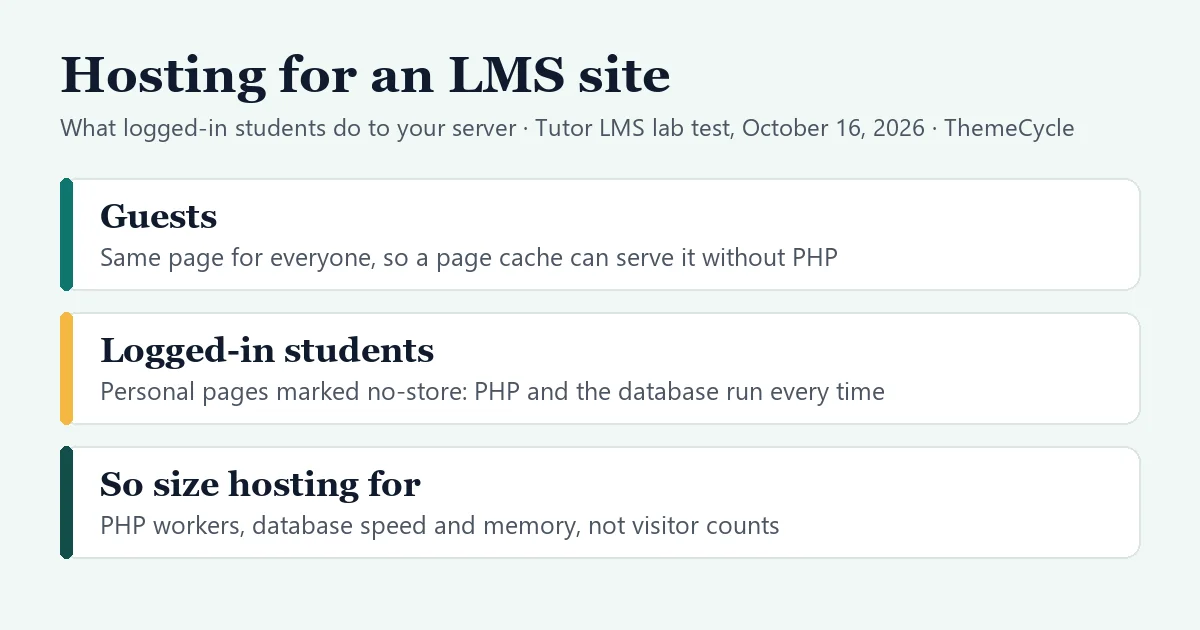
Most hosting advice is written for blogs and shops, where nearly every visitor sees the same page. A course site is different: once students log in, every lesson, quiz and dashboard they open is built for them alone. This guide shows what that looks like on a real LMS install in our lab, what the LMS plugins and hosts say about it in their own docs, and what to check before you pay for a plan.
The short answer
- Logged-in students skip the page cache. In our Tutor LMS lab, WordPress marked every page a logged-in student opened as “no-store, private”, and two students saw different content on the same lesson URL. The hosts’ docs we read all bypass their page cache for logged-in visitors.
- So size hosting for uncached traffic: enough PHP workers for the students online at the same time, a fast database, and an object cache. Visitor counts and “unlimited traffic” claims say little about this.
- What the plugins ask for: PHP 8.3 is what WordPress and LifterLMS recommend; LearnDash asks for at least 128 MB of PHP memory. LifterLMS suggests budgeting at least $30 a month for busy sites with many logins.
- Before you buy: ask how many PHP workers the plan has, whether object caching is included, and what happens when all workers are busy. Then test a lesson page while logged in.
How we put this guide together
- Measured in our lab, on October 16, 2026: a private WordPress 7.1.3 test install with Tutor LMS 4.1.0 (free) and WooCommerce, one course with two lessons and a quiz, and two enrolled test students. We loaded six pages as a guest and as each student, three times each, and recorded the database queries per page, the cache headers and whether the page content differed.
- What the lab can’t show is speed. Our test install runs on a desktop PC, so its page times say nothing about a real host. We report query counts and headers, which don’t depend on the server, and no timings.
- Vendor facts, not tested: requirements from WordPress, LearnDash, LifterLMS and wordpress.org, and caching notes from six hosting companies’ own docs, all checked on October 16, 2026. We say “says” where a fact comes from a vendor.
- We haven’t tested or benchmarked any hosting company, so this guide doesn’t rank hosts. No host paid for or reviewed it, and there are no affiliate links on this page.
Why LMS hosting is different
A page cache stores a finished page and hands the same copy to the next visitor, so PHP and the database don’t run at all. That works when everyone sees the same page. On a course site it stops working the moment a student logs in.
What we saw in our lab:
- Every logged-in page was marked uncacheable. As a guest, no page carried a cache-control header. As either student, every page, even a plain page, came with “no-cache, must-revalidate, max-age=0, no-store, private”. This comes from WordPress itself, not Tutor LMS: WordPress sends those headers to any logged-in user.
- The same lesson URL showed different content to each student. Our first student saw 100% progress, “Completed” and a box asking for a course review. The second, who hadn’t started, saw 0% and “Mark as Complete”. A shared cached copy would show one student the other’s progress.
- Guests asking for a lesson, quiz or dashboard got the sign-in form, so for a course site most real traffic in those areas comes from logged-in students.
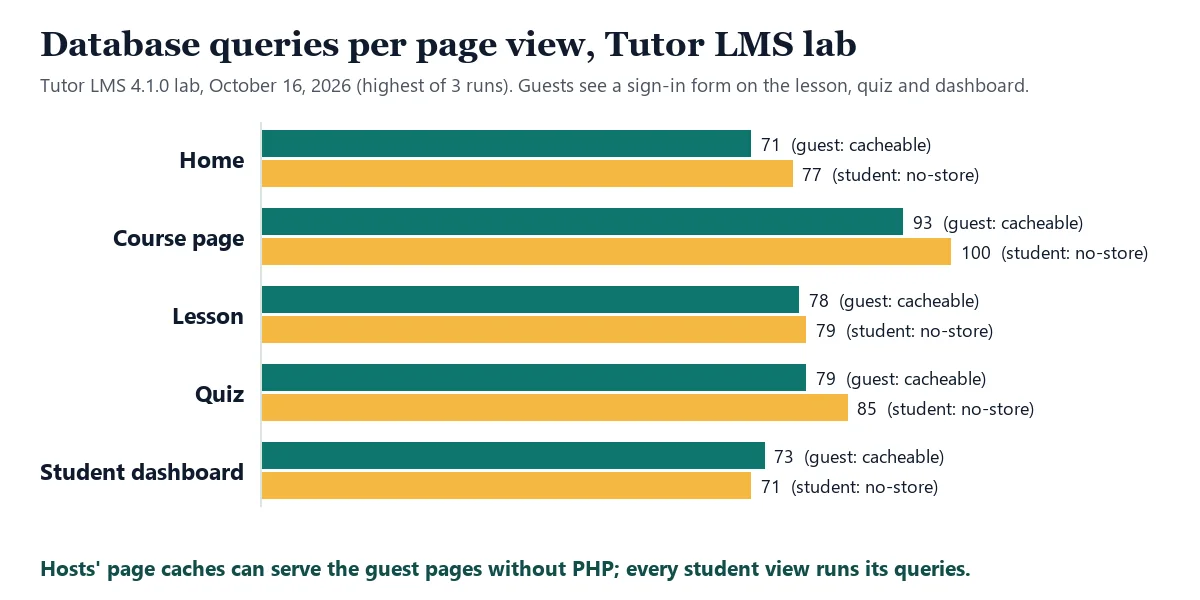
- Each student page ran 71 to 100 database queries, about the same as the guest version of the page. The difference is that a host can cache the guest version, and can’t cache the student’s.
| Page | Queries, guest | Queries, student | Cache header for students |
|---|---|---|---|
| Home | 71 | 77 | no-store, private |
| Course page | 91–93 | 100 | no-store, private |
| Lesson | 78 | 79 | no-store, private |
| Quiz | 79 | 84–85 | no-store, private |
| Dashboard | 71–73 | 71–83 | no-store, private |
The hosts’ own docs say the same from their side:
- WordPress VIP says requests from logged-in users always bypass its page cache.
- WP Engine says logged-in sessions bypass the page cache and are processed by PHP every time.
- SiteGround says its Speed Optimizer doesn’t cache content for logged-in users by default; an optional setting stores a separate cache for each user.
- SpinupWP lists the
wordpress_logged_incookie among its default page cache exclusions. - LifterLMS tells users who see login or content problems to ask their host to avoid caching dynamic LifterLMS pages.
What the LMS plugins require
| WordPress | LearnDash | LifterLMS | Tutor LMS | |
|---|---|---|---|---|
| PHP | 8.3+ recommended (7.4 works, end of life) | 7.4+; points to WordPress’s 8.3 | 8.3 recommended | 7.4+ (wordpress.org listing) |
| Database | MariaDB 10.11+ or MySQL 8.0+ | MySQL 5.6+ or MariaDB 10.1+ | MySQL 8.0+ or MariaDB 10.6+ | Not stated |
| PHP memory | Not stated | 128 MB or more | Not stated | Not stated |
| Other | HTTPS | HTTPS; no multisite | Nginx or Apache with mod_rewrite | Not stated |
Sources: wordpress.org’s requirements page, LearnDash’s requirements page (now hosted on docs.nexcess.com), LifterLMS’s system requirements (updated January 6, 2026) and the Tutor LMS listing on wordpress.org, all checked October 16, 2026. We found no separate server-requirements page from Tutor LMS. LifterLMS’s older help pages still list lower PHP minimums than its current requirements page, so go by the current one.
LifterLMS also says it can run on low-cost shared hosting, but that sites with heavy traffic and many concurrent logins should plan on at least $30 a month for hosting (checked October 16, 2026).
What to look for in a host
PHP workers. Each uncached request ties up one PHP worker until it finishes, and cached requests use none, as Pressable’s docs put it. Kinsta’s docs name LMS and membership sites as “dynamic” sites that need more PHP threads, and say Kinsta doesn’t recommend running them on plans with 2 PHP threads. When every worker is busy, new requests wait; Pressable lists slow pages and 502/504 timeouts as the signs.
An object cache. A page cache can’t help logged-in students, but an object cache (usually Redis or Memcached) keeps the results of repeated database lookups in memory, so each uncached page needs fewer trips to the database. Ask whether it’s included, or an add-on.
A fast database and enough memory. Every student page runs dozens of queries, so the database is on the critical path. LearnDash’s 128 MB is a minimum, not a target.
Staging and daily backups. Course sites hold student progress and orders that change every day, and LMS updates can change the student area. A one-click staging copy lets you try updates before paying students see them.
Video somewhere else. Lesson videos are big files. All three LMS plugins we’ve tested or looked at let you paste a video URL into a lesson, so the files can live on a video service instead of your web host.
The trade-off: shared hosting is cheap and fine while a few students are online at once. A managed WordPress plan or a small cloud server gives you more PHP workers and memory, but costs more and, on a server you run yourself, the updates and security are your job.
How many PHP workers? A rough way to estimate
There’s no exact formula, but the idea is simple: busy workers ≈ uncached requests per second × seconds each request takes on the server.
An example, with assumed numbers rather than measurements:
- 100 students are active in the same 10 minutes, and each opens a new page about every 30 seconds. That’s about 3.3 page requests a second.
- If each page takes the server 0.5 seconds, about 1.7 workers are busy on average. At 1.5 seconds a page, it’s 5.
- Averages hide peaks: a live class, a quiz deadline or a launch email sends everyone at once. Leave room above the average, and remember that background requests (such as marking a lesson complete) use workers too.
Your host’s dashboard or support team can tell you how long your pages take on the server and how often workers run out. That’s better data than any estimate.
Questions to ask a host before you buy
- How many PHP workers (or threads) does this plan have, and what happens when they’re all busy?
- Is your page cache bypassed for logged-in WordPress users? (It should be.)
- Is an object cache such as Redis included, or an add-on?
- What’s the PHP memory limit, and which PHP and MySQL or MariaDB versions do you run?
- Do you include daily backups and a staging site?
- Do you limit visits, or CPU and processes? A plan with “unlimited visits” can still run out of workers.
A quick check of your own host
You can see whether a page came from the cache without any tools beyond your browser:
- Open a lesson page in a private window, logged out. In your browser’s developer tools (Network tab), click the page request and look at the response headers. Many hosts add a header showing a cache hit or miss; the name varies by host.
- Log in as a test student and load the same lesson again. You should see the page marked uncached, and WordPress’s “no-store, private” cache-control header.
- Click through a few lessons and a quiz as that student, and note how long each takes. That’s the speed your students get, whatever your home page scores.
Watch out for: speed tests of your home page measure the cached guest version. They tell you little about what a logged-in student waits for.
What we didn’t test
- We haven’t tested, benchmarked or bought any hosting plan, so we can’t say which host is fastest for an LMS.
- We measured Tutor LMS only. LearnDash and LifterLMS pages will run different numbers of queries, though WordPress sends the same logged-in headers whatever the plugin.
- We didn’t measure page speed, memory use or many students at once, because our test install isn’t a real server.
FAQ
Can I cache pages for logged-in students?
Not with an ordinary shared page cache, because each student’s page is different. Some caching tools keep a separate copy for each user (SiteGround’s optional “Logged In Cache” does this, it says), but that doesn’t help much on pages a student opens once. An object cache is the usual answer.
Is shared hosting enough for an LMS?
For a small site with a few students online at once, often yes; LifterLMS says it runs on low-cost shared hosting. When many students log in at the same time, the limits on PHP workers, CPU and memory start to matter.
Do I need a CDN?
A CDN serves images, styles and scripts from servers near your students, which helps every visitor, logged in or not. It doesn’t speed up the uncached page itself, which still comes from your host.
Where do I start if I’m building a course site from scratch?
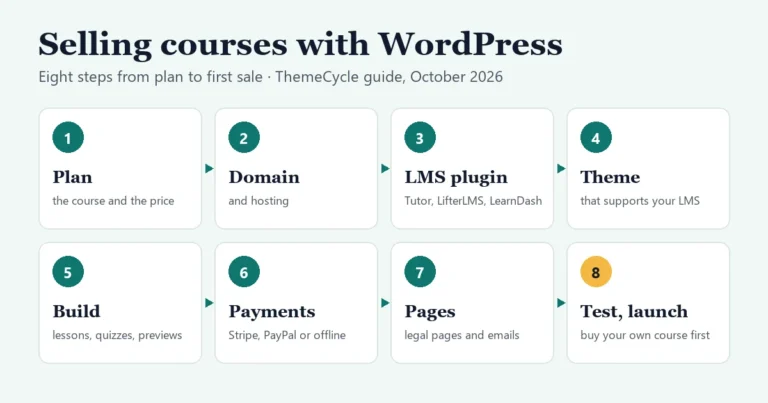
Our guide to selling courses on WordPress covers the whole setup, step by step. To choose the LMS first, see our Tutor LMS review, our LifterLMS review or the LMS plugins comparison. If you’re weighing a hosted platform instead, where the hosting is included, see Teachable vs Thinkific vs WordPress.